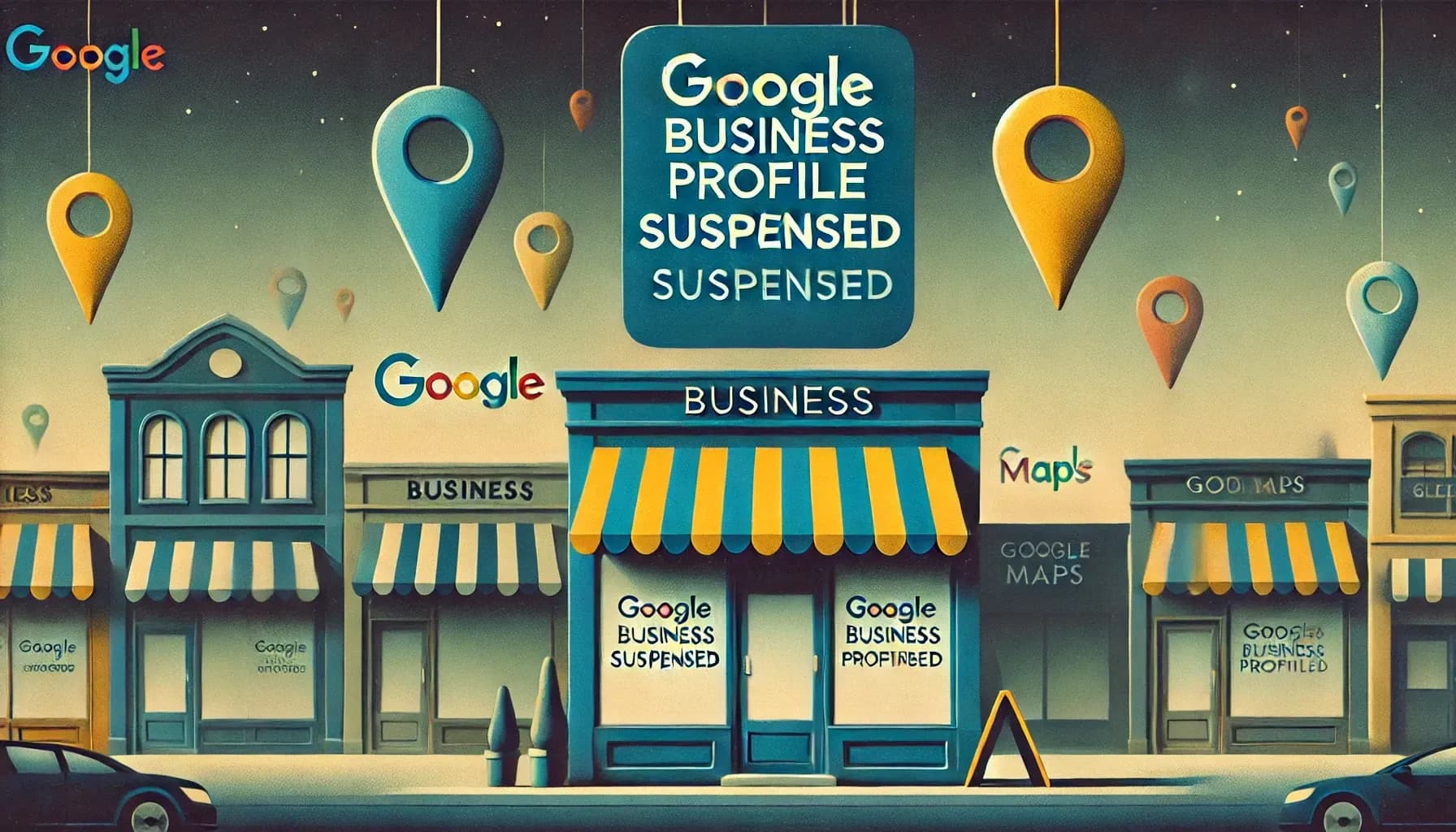
Google Business Profile (GBP) is a lifeline for local businesses; it drives visibility on Google Maps and local search. So when a business finds its profile suddenly suspended, the impact is devastating.
A suspended listing can vanish entirely from Google, causing phone calls drop by as much as 70–90% within a week. In fact, one marketing study found that Google suspends over 35% of local businesses at least once, often without a clear explanation.
With millions of profiles suspended in recent years, understanding why suspensions happen – and how to recover iis critical. This guide will explain the causes of GBP suspensions, how to fix them, and how to stay on Google’s good side going forward.
Why Google Suspends Business Profiles?
Google isn’t suspending profiles out of spite; it’s enforcing rules to keep listings accurate and trustworthy. Google’s official guidelines spell out what’s allowed, and profiles that violate those guidelines get flagged for suspension.
Suspensions can happen in different forms and for different reasons. Some are triggered automatically by Google’s algorithms, while others result from manual reviews by Google staff (often after someone reports a profile for spam or policy violations).
Let’s break down the types of suspensions and Google’s quality standards that drive them.
Two Types of Suspensions: Soft vs. Hard
Not all suspensions are equal. Google primarily issues two types:
- Soft Suspension: Your business listing still exists in your GBP account and may even appear publicly, but you lose the ability to manage or verify it (the profile shows as “Suspended” or “Unverified” in your dashboard).
In a soft suspension, your photos, reviews, and data remain intact, and the issue is often something fixable (like an address format problem or minor violation). Soft suspensions are the most common and usually recoverable with the right corrections.
- Hard Suspension: This is more severe. The business listing is completely removed from Google Search/Maps and even disappears from your GBP account dashboard.
It’s as if your profile never existed; you can’t access it, and all those hard-earned reviews might be gone. Hard suspensions, sometimes called “permanent” suspensions, typically occur for serious or repeated violations – think fake addresses, multiple listings for one business, or impersonation attempts.
Because Google views these cases as higher risk, hard suspensions are much harder to reverse and require a strong appeal with solid evidence of legitimacy.
Knowing which type you’re facing is important because it changes your recovery approach. A quick test: search your exact business name on Google Maps. If nothing appears, it’s likely a hard suspension.
If your listing still shows up to the public but you see a “suspended” notice in your account (or it says the profile is unverified), that’s a soft suspension.
The Role of Google’s Quality Guidelines
Google’s Guidelines for Representing Your Business on Google are the rulebook for what you can and cannot do with your profile. Google explicitly warns that to avoid suspension, businesses must avoid prohibited content, present their information accurately, and comply with all guidelines.
In other words, if you break the rules – even unintentionally – Google may yank your profile to protect the platform’s integrity.
These guidelines cover everything from business name format to address usage and content policies.
For example, the guidelines say your business name must reflect your real-world business name, adding unnecessary keywords or details is not permitted, and “could result in the suspension” of your profile.
They also state there should only be one profile per business (no duplicates) and to use the fewest number of categories necessary to describe your business. Google enforces these rules strictly to keep spam and fake listings out.
Many suspensions boil down to guideline violations, sometimes obvious ones, other times more obscure. It’s important to note that Google doesn’t usually tell you exactly why you were suspended.
That can make it feel like solving a mystery, but the cause is almost always some guideline that was broken (even “unwritten” rules or things not immediately apparent).
Familiarizing yourself with Google’s quality guidelines is your best defense; they set the standards that your profile needs to meet to stay live.
Automated Triggers and Manual Reviews
Google deploys both automated systems and human oversight to catch problematic profiles. Automated triggers are built into Google’s algorithms and can suspend a profile instantaneously if certain red flags pop up.
For instance, Google occasionally runs broad algorithmic “sweeps” in industries prone to spam (a famous example was in June 2019, when a wave of locksmith and plumber listings were suspended by an algorithm looking for fakes).
Automated filters also watch for sudden changes or mismatched info – for example, if you edit your business name or address in a suspicious way, Google might auto-suspend or demand re-verification.
In fact, even making too many edits too quickly on your profile can trip Google’s fraud detection, leading to an automatic suspension or lock on edits.
On the other hand, some suspensions are the result of manual reviews by Google staff. This often happens if someone reports your business for violating policy (competitors or users can flag listings via the Redressal Form).
A Google employee may then review the profile. If they have any doubt about your business’s legitimacy or compliance, they’ll suspend it, essentially treating you as “guilty until proven innocent”.
Manual suspensions typically come in as a “soft” suspension (the listing stays on Maps but is disabled pending review), forcing the owner to submit an appeal with evidence. In serious cases (or clear-cut policy abuses), a manual review can issue a hard suspension as well.
The key takeaway is that some triggers, like algorithmic sweeps or instant flags, you can avoid by careful behavior, while others, like a competitor reporting you, might be outside your control.
Google’s systems blocked or removed over 170 million fake reviews and 12 million fake business profiles in 2023 alone, a lot of which was automated, but behind those numbers are also teams of investigators.
Knowing this, you should treat your GBP as what it is, a privilege granted under Google’s rules, not an unconditional right. Now, let’s delve into the most common specific reasons profiles get suspended.
What are the common reasons for account suspensions?
Why exactly do profiles get suspended? In most cases, it comes down to misrepresentation or spammy practices that violate Google’s guidelines.
Below, we break down the top reasons from keyword stuffing to address issues that repeatedly cause GBP suspensions.
These aren’t hypothetical; they’re based on what experts and Google’s own policies say.
For example, one industry expert summarized that using a virtual address, making big NAP changes, stuffing keywords in your name, fake reviews, or overdoing service areas/categories are all prime suspension triggers. Understanding these common mistakes can help you avoid them.
Keyword Stuffing in Business Name
One of the top offenses is keyword stuffing your business name. This is when businesses tack on extra keywords, locations, or slogans to their name in GBP to try to rank higher (e.g., naming your listing “John’s Plumbing Best Cheap Plumber New York”).
Yes, it might boost rankings temporarily, but Google has made it clear this is not allowed. Your GBP name must exactly match your real-world business name, no added phrases, no city names, or services that aren’t part of the official name.
Google’s guidelines explicitly state: “Including unnecessary information in your business name isn’t permitted, and could result in the suspension of your Business Profile.”
In practice, Google often cracks down on this by suspending the profile or at least issuing an edit. It’s such a common problem that spammy business names are cited as a common reason for hard suspensions by Google.
The impact is straightforward: if you cheat by stuffing keywords, you risk losing your entire listing. It’s just not worth it.
A suspended profile won’t rank at all, so those keyword gains turn to zero. Keep your business name clean and exactly as your signage, website, and legal name present it.
For example, if your store is “Shelly’s Coffee”, don’t make it “Shelly’s Coffee Best Espresso in San Francisco.” Google will likely catch the fluff (either via algorithm or a user reporting it) and suspend you, wiping out your visibility.
Impact Tip: According to Google’s own policies, the business name should reflect your real-world name, no extra flair allowed.
Keyword stuffing might seem like a shortcut to more views, but it immediately puts your profile at risk of suspension. Play it safe and stick to your true business name; it builds trust with both Google and customers.
Ineligible Business Types
Not every “business” is allowed to have a Google Business Profile. Google has strict eligibility rules. If your business doesn’t serve customers in person or doesn’t have a tangible presence, it may be ineligible for a listing.
For example, purely online-only businesses, e-commerce operations with no physical store, or lead-generation companies that just funnel leads to others are not supposed to have a GBP.
Google wants profiles only for businesses that either have a physical location customers can visit or for service-area businesses that travel to customers’ locations.
Some examples of ineligible entities from Google’s guidelines include: rental or for-sale properties, you can’t create a GBP for a vacant vacation home or an apartment for rent – Google considers those to be not a business but an item for sale.
Also, individual real estate agents or MLM sales reps might run into issues; Google notes that sales associates or lead generators for a larger company are not eligible for their own profile.
Similarly, classes or meetings held at a location you don’t own, say, a yoga class in a park or a pop-up market stall. usually don’t qualify for a standalone listing.
If you try to skirt these rules say by creating a GBP for your online drop-shipping store that has no address, or for each Airbnb property you own, Google’s likely to suspend it. High-risk categories like locksmiths, plumbers, and rehab centers also get extra scrutiny due to past spam, meaning Google will carefully verify legitimacy.
Bottom line: if your business model doesn’t fit Google’s definition of an actual local business, you’re fighting an uphill battle to keep a profile active.
When in doubt, check Google’s Business Profile Eligibility documentation or ask the community to see if your type of entity is eligible. It’s better to find out before you invest time in a listing that might get nuked.
Address or Location Violations
Location, location, location, it’s huge in local search, and also a huge source of suspensions when done wrong. Google has extensive rules about what addresses are acceptable. The most common violations here include:
- Using a P.O. Box, UPS mailbox, or virtual office address: These are not allowed as your business address on GBP. Google wants a real physical location.
An exception is made only if you have a bona fide office in a co-working space (with your own dedicated office, signage, staff present, etc.), but just renting a mailbox or a desk for an hour won’t fly. Many people tried to abuse virtual offices to get listings in multiple cities; Google has largely caught on and will suspend those profiles outright.
- Listing a home address for a service-area business: If you run a service business from your home (plumber, landscaper, etc.), you are not supposed to display your home address publicly on the listing.
You should mark it as a service-area business that hides the address. Showing a residential address without a storefront or sign is a violation – Google knows that customers aren’t supposed to drop by a private home.
Such listings often get suspended, especially if someone flags it or Google’s system notices a residential building in Street View.
One local SEO expert noted that address issues are perhaps the most common cause of suspension they see, as many small businesses innocently use a home or shared address without realizing it’s against policy.
- Multiple businesses at the same address: Google generally expects one unique location = one profile. If you have two different businesses sharing an address (and they’re not clearly distinct, like a clinic with multiple practitioners or a mall with separate stores), it raises a red flag.
Especially problematic is when two listings also share the same phone number or website – it often signals a duplicate or a spam network.
For example, if “Joe’s HVAC” and “Joe’s Heating & Cooling” are both at 123 Main St with the same phone number, Google will likely suspend one or both for duplication.
Legitimate cases like multiple departments in a dealership or doctors in a practice have special rules, but you must follow them carefully.
- Mismatch between real-world and listed address: If Google can’t verify that you actually operate at the address given (say, no signage, or it’s a random warehouse with no indication of your business), that can lead to suspension during verification.
Always use a precise, accurate address where you genuinely exist and meet customers. Never list an address where the business isn’t present just to rank in that area.
In short, don’t try to fool Google’s location rules. They even use imagery, if Google Street View or user contributions show that your “office” is a mailbox store or your house with no sign, expect trouble.
One survey of suspension causes found that address violations were a top offender, as businesses attempted to game locations. Always list a legitimate address and adhere to Google’s service-area guidelines if applicable. It keeps your profile safe and trustworthy.
Multiple Profiles for the Same Business
Every business owner wants more visibility, but creating duplicate Google profiles for the same business is not the way to get it. Google’s guidelines are explicit: “There should only be one profile per business.”
Having more than one listing for the same business can confuse customers and Google’s systems, and it’s considered a form of spam. Thus, it’s a common reason for suspension.
What are some scenarios? Some businesses mistakenly create separate GBPs for each service they offer or each practitioner on their team without following the proper rules.
For instance, a law firm might try to list each attorney separately at the same address, or a car dealership might have one listing for new sales and one for used sales.
In certain cases (like practitioners, departments, etc.), Google allows multiple profiles, but with caveats (distinct categories or names).
If you don’t follow those exactly, you risk suspension or the duplicates being removed. If there’s no legitimate need for a separate profile, Google may suspend the newer or less established one as a duplicate.
Another scenario is trying to create multiple listings to target different areas (e.g., one listing with city A in the name, another with city B, but both for the same business at one location).
This is a big no-no. Google’s algorithms and moderators are on the lookout for fingerprints of duplicate listings – same phone number, website, or address are dead giveaways.
Often, a business finds one of its duplicate profiles got soft-suspended (disabled) until they removed.
Tip: If you discover you accidentally have two listings, it can happen if, say, a marketing agency made one, and you made another, address it before Google does.
Suspicious Activity or Changes
Sometimes a GBP suspension isn’t due to a single glaring violation, but rather a pattern of suspicious activity on the account. Google’s systems monitor the consistency and stability of your listing information.
If you or someone managing your profile makes a lot of sudden, aggressive edits, it can trigger alarm bells. For example, changing your business name one week, then the address the next, then your website URL – all in a short span – might make Google think the profile was hijacked or is fraudulent. Their response? Suspend first, ask questions later.
A very common scenario is when a business moves to a new address or changes its name. These are legitimate changes, but Google sometimes responds by suspending the profile until you prove the new info is real. It’s essentially an automated re-verification.
One Google Product Expert cautioned that after a reinstatement, you should “avoid frequent edits, don’t make multiple changes to name, category, or address again for at least a few weeks”.
The advice stems from experience: rapid consecutive changes can land you in an “automated suspension loop”, where each edit triggers another suspension.
Other suspicious activities include ownership or management changes on the account. If you add a new manager to your GBP and that Google account has a history of spam or violations, your profile can get suspended by association.
There have been cases where a bad actor was managing multiple listings; when Google banned that account, every listing they touched went down too. So be careful who you grant access to.
Also, if Google sees unusual behavior like logins from different countries or other signs, your account might have been compromised, and they might suspend it as a precaution.
And let’s not forget the simple possibility of a bug or error: occasionally, legitimate profiles have been swept up in Google’s automated suspensions by mistake (it happened in some of those broad 2019 sweeps).
If you truly can’t identify a guideline you broke, it might have been a false positive – still, you’ll have to go through the reinstatement process to get it back.
Key point: Treat your GBP changes with care. Make edits only when necessary, and try not to change core info frequently. If you have a major change coming (like a rebrand or relocation), prepare to provide Google evidence proactively, as it could trigger a review.
Think of your profile as sensitive: sudden moves can trip the wires of Google’s security system. Slow and steady, with accurate info, is the safer route.
Fake Reviews or Spam Signals
Google deeply values the integrity of reviews and ratings on business profiles. If a business is caught gaming the review system, it can absolutely lead to suspension or at least a heavy penalty.
This includes things like buying fake positive reviews, posting false negative reviews on competitors, review swapping schemes, or incentivizing reviews in ways that violate policy.
Google’s algorithms are increasingly sophisticated at detecting fake review patterns in 2023 alone; they removed 45% more fake reviews than the year prior, blocking over 170 million fake reviews and also taking down millions of fake profiles associated with review scams.
So how does this affect suspensions? If Google ties your profile to a network of fake reviews (for example, you suddenly get 50 five-star reviews in a week from accounts that have also reviewed the same set of businesses, a known red flag pattern, they might suspend the profile while investigating.
Also, if you have lots of reviews from the same IP or reviews that contain prohibited content, those could trip filters. Sometimes, business owners wake up to find their profile still active but all their reviewsare gone.
That’s often because Google determined many were fake and purged them, but in severe cases, it might suspend the whole profile if the behavior seems egregious.
Similarly, other spam signals like keyword-stuffed descriptions, uploading images that violate content rules, or using URL redirects in the profile can cause problems.
However, reviews are the big ones to watch because they so directly impact consumers. Google also allows users to report a business for suspicious activities (like if a competitor notices you have 100 generic-sounding 5-star reviews in a row, they might flag you).
Google can do a manual review, and if they confirm spam, a suspension could follow as punishment.
The best practice here is straightforward: don’t cheat on reviews. Earn them legitimately. Never pay for reviews or let an SEO agency “manage” reviews in sketchy ways. Also, monitor your own listing’s reviews and Q&A.
If you see nonsense or spam reviews, report them to Google for removal. It helps maintain the credibility of your profile. Google publicly reports that it placed “temporary protections on more than 123,000 businesses after detecting suspicious activity and abuse attempts” in a recent year, which shows how actively they are looking for signs of spam. You want to stay completely clear of that dragnet.
Moreover, respond to your reviews professionally, even the bad ones. A pattern of the business owner reacting angrily or fraudulently can draw negative attention. While responding poorly won’t itself cause suspension, it’s part of maintaining a trustworthy presence.
Keep your user-generated content (reviews, photos, Q&A) clean and real. If bad actors post fake negative reviews on your profile, follow Google’s process to dispute them – don’t retaliate in kind. In short, play by the rules: the momentary boost fake reviews might give is never worth the long-term damage if Google catches on (which they likely will, given the hundreds of millions of reviews their AI and teams weed out each year).
Violating Category or Service Area Rules
This reason is a bit more nuanced, but it’s another common way businesses get in trouble: messing up the categories or service area settings on their profile. Google wants you to be precise and truthful in describing what your business does and where it serves customers. Two pitfalls stand out:
- Category misuse: Google allows you to choose a primary category and additional categories for your business. The guideline is to use the fewest and most accurate categories possible.
If you go overboard by selecting a dozen categories to try to appear in more searches, you might trigger a suspension or at least a filter. Also, using a category that doesn’t match your core business is a violation.
For example, if you’re a restaurant but also sell T-shirts on the side, listing yourself under “Clothing Store” is misleading.
We’ve seen cases where businesses got suspended for category issues – often because they chose a high-risk category they didn’t actually belong to (e.g., a taxi service listing as “Travel Agency”).
Stick to what you are. Having too many service categories or irrelevant categories can look spammy to Google’s algorithms.
- Service area abuse: Service-area businesses (SABs) can specify the regions they serve instead of a pinpoint address. Google allows you to define your service area by cities or ZIP codes, etc., but it should reflect reality.
If you set an unnaturally broad area (like claiming to serve the entire country when you’re actually local), it’s a red flag. Also, overlapping service areas with multiple listings (if you run two businesses) can cause one to be suspended.
Some experts have observed that listing too many far-flung areas can prompt Google to double-check your listing. Essentially, Google doesn’t want you to over-represent your coverage just to rank in distant locales.
Another factor is that high-risk categories (like locksmiths, HVAC, lawyers, tow trucks) are under heavier scrutiny. If you’re in one of those, be extra careful that your category selection is spot-on and that every other aspect of your profile is squeaky clean.
Google knows these fields are magnets for spam (e.g., fake emergency locksmith listings), so they have a tighter tolerance.
The rule of thumb: choose the most specific, accurate category for your main business (and a couple of closely related secondaries if truly needed), and define a reasonable service area that aligns with how far you realistically travel for customers.
When you follow this, you not only reduce suspension risk but also get more relevant customer leads. Misleading categories or service areas might draw more clicks in the short term, but if they lead to suspensions, you lose all visibility, plus you might attract the wrong customers and get bad reviews. So, keep it honest and precise.
How to Fix a Suspended Google Business Profile?
Waking up to find your GBP suspended is scary, but it’s not necessarily the end. Most suspended profiles can be reinstated if you address the problem and follow Google’s process carefully (one source noted about 73% of suspended businesses get reinstated when they follow the right steps).
The key is not to panic, but to take systematic action. Here’s how to go from suspended to active again:
Confirm the Type of Suspension
First, determine if you have a soft or hard suspension (as discussed earlier). This affects what you do next:
- If it’s a soft suspension (listing still visible on Google, but marked suspended/unverified in your dashboard), you likely just need to fix the violation and then request reinstatement.
Soft suspensions mean Google is saying “something’s off, please fix it” – your listing exists but is hidden from search until resolved.
- If it’s a hard suspension (your listing is completely gone from search and from your account), the process is tougher. Google has basically removed your profile as if it never existed. In this case, when you appeal, you’re almost re-creating the profile after proving legitimacy.
Hard suspensions often require more documentation and have a lower success rate without significant changes. You might even need to contact Google support or the community for guidance before appealing, since the standard reinstatement form might not allow a submission if the profile isn’t in your account.
Knowing the type tells you how careful and thorough you need to be. For example, soft = one major issue to fix, whereas hard = Google seriously doubted your business’s legitimacy, so you need to overwhelm them with proof.
Also, check if you got an email from Google about the suspension; sometimes they send one with a generic “due to quality issues” message. It won’t spell out the reason, but it confirms you are suspended (and not some other issue like pending verification). This email will also have a link to the reinstatement request form.
Gather the Right Documents
Before rushing to appeal, prepare your evidence. Google will only reinstate if you convince them your business is 100% real, eligible, and compliant. That means providing documentation. Here’s a checklist of documents that help in a reinstatement request:
- Official business proof: Business license or registration certificate from your city/state, tax ID letter, or any legal document showing the business name and address. These carry a lot of weight.
- Address proof: Utility bills or lease/mortgage in the business name at the address in question. If you work from home, there is something like a utilities bill in your name at that address, plus perhaps an insurance or registration document tying the business to that location.
- Insurance or permits: If applicable, a liability insurance certificate, professional license (for doctors, contractors, etc.), or other industry-specific license. This further shows you’re a legitimate operation.
- Visual evidence: Photographs of your business location. Ideally, exterior photos with signage, interior photos of the office/store, and maybe pictures of you or staff on-site. For home-based businesses that can’t have signage, a photo of your work vehicle with logo (if you have) or equipment might help, along with an explanation that you only go to clients.
- Proof of activity: Recent invoices, receipts, or contracts with customers (you can redact sensitive details) to prove you are actively doing business. Also, any online presence like a website or social media that shows the same info (though not a document per se, you can mention it).
- Consistency proof: If the issue was something like a name change, provide documentation of the name change (e.g., “formerly XYZ LLC, now ABC LLC” with legal proof). If it was an address change, provide evidence of the move (like a new lease, USPS change receipt, etc.).
Gathering these before you fill out the reinstatement form is crucial because you’ll need to upload many of them. Having a folder ready with scans or photos of each relevant piece will make the process smoother. Google typically asks for at least one document that ties business name and address together (like a business license or tax document), so make sure you include something that clearly shows both on one page if possible.
Remember, the goal is to show, not just tell. Anyone can claim “I fixed my address, please reinstate me.” But if you attach a business license, a utility bill, and photos of your storefront, you’re providing tangible proof. One GBP expert advises to ensure all profile details match your documents exactly – e.g., if your legal name is “Joe’s Plumbing, LLC”, make sure the GBP name field says “Joe’s Plumbing, LLC” when you appeal. Consistency matters.
Submit a Reinstatement Request (Step-by-Step)
Once you’ve fixed any obvious issues on your profile (e.g., removed the stuffed keywords, corrected the address) and have your evidence ready, it’s time to appeal to Google for reinstatement. Here is a step-by-step process to do it:
- Go to the Reinstatement Form: Visit the Google Business Profile Help Center and search for “suspended Business Profile”. You should find the “Request reinstatement” form. (If you have a suspension email, it likely contains a direct link to this form.)
- Fill out the form carefully: It will ask for your business name, address, website, etc. Provide exact details as currently listed on your profile. There will be questions about whether you’ve made changes to comply with guidelines – answer honestly and indicate you corrected the violations. There’s usually a free-text field to explain your situation – use it to concisely acknowledge what went wrong and that you’ve fixed it.
- Upload your documentation: The form will let you attach files. Upload all those documents you gathered: business license, proof of address, photos, etc.. More is generally better, as long as it’s relevant. Ensure file names or descriptions make it clear what each file is (e.g., “BusinessLicense.pdf”, “SignagePhoto.jpg”).
- Submit the form: Double-check everything (no typos in your contact info or business name!). Then hit submit. You should get a confirmation that it was received.
- (If applicable) Draft an appeal letter: In some cases, especially for hard suspensions or complex cases, it helps to write a brief cover letter in the form explaining the context. For example: “Our profile was suspended due to address issues – we have now updated the address to our official registered location and provided our lease and signage photos.
We operate a legitimate business serving the X area. Please reinstate.” Be polite, factual, and to the point. Google reps are busy; they appreciate it when you clearly state the problem and resolution.
- Submit and be patient: After submission, you’ll usually see a notice like “Thank you for contacting support”. Google should also email a case ID to the address you provided. Now the waiting game begins.
A few don’ts: Don’t create a new listing while you wait (that can complicate things or violate guidelines). Don’t spam multiple appeals – Google usually says you have to wait for the first appeal outcome before trying again. And definitely don’t lie in the appeal.
If you actually were doing something against the rules, it’s better to acknowledge and promise not to repeat, rather than claim ignorance or blame Google.
For example, saying “I have removed the PO Box and updated to my real address” is better than “I don’t know why I was suspended, everything was fine” when evidence shows otherwise. Honesty and a cooperative tone can go a long way.
What to Expect After Submitting
After you’ve sent in your reinstatement request, the big question is: what happens next? Here’s what you can generally expect:
- Email Confirmation: Google should send an automated email confirming receipt of your appeal. It will have a case/reference number. Keep this safe.
- Waiting Period: In many cases, you will hear back within 1–2 weeks (7–14 business days) for an initial response. This might simply be an update that they are looking into it, or a request for more info, or, if you’re lucky, a reinstatement notice.
Sometimes reinstatements happen quickly (even in a few days), but don’t bank on it – there are reports of it taking a few weeks, especially if volumes are high.
- Google’s Response: There are typically three possible outcomes:
- Reinstated: Best case, you get an email saying your profile is now live again. Celebrate (briefly) and then double-check that everything looks correct on Google.
- Need More Info: Google might email asking for additional documentation or clarification. For example, they might say “Please provide a utility bill that shows your business name and address” if what you gave wasn’t sufficient. Respond promptly with the requested info.
- Denied: They may say they won’t reinstate because of certain reasons (or vaguely “did not meet guidelines”). If this happens, read the email carefully. It might allow you to reply, or it might say the decision is final.
If there’s an option to appeal further or fix something, do so carefully – this could be your last chance.
- Follow-Up: If two weeks pass with no word, you might consider gently following up. Google’s form usually doesn’t give a direct contact, but you can reply to the confirmation email or the last correspondence you got.
Provide your case ID and politely ask if there’s an update. Another route is posting on the Google Business Profile Help Community forum with your case ID, asking for a status – sometimes the volunteer Product Experts can escalate a stalled case.
- Timeline Variability: Simple cases might be resolved in under two weeks. However, more complex cases (especially hard suspensions or cases needing manual address verification) can take longer – possibly 4–6 weeks, even up to 8–12 weeks in extreme situations.
Google’s own guidelines have indicated full reviews can take up to 12 weeks for complex issues. Prepare for that possibility. It’s painful, but rushing or resubmitting multiple times can make it worse.
- Two Appeal Limit: Be aware that Google often only gives you two chances to appeal. If you get denied twice, it’s very hard to get a third try unless you make a big change (or get a support agent who resets it).
So treat each appeal seriously as possibly your only shot. This is why taking your time to do it right (with documents and explanation) is so important.
While waiting, do not sit idle in terms of business operations. If you rely on GBP for leads, you should in the meantime:
- Beef up your website SEO and other directories (Yelp, Bing Places, etc.) so people can find you outside Google Maps.
- Communicate with existing customers via email or social media to let them know you’re still in business and how to reach you (so the suspension doesn’t erode trust).
- If applicable, run some temporary ads or use other marketing to offset the lost visibility.
Knowing what to expect helps manage your anxiety. Many business owners have shared that the silence from Google after submitting an appeal is nerve-wracking.
But as long as you’ve been truthful and thorough, you stand a good chance. 73% of suspended businesses can get reinstated by following the right process, so the odds are in your favor. It just requires patience and persistence.
How Long Does Reinstatement Take?
This is one of the most common questions, and the answer is frustrating: it depends. There is no hard guarantee on timing, but here are some insights:
- Typical Range: Many straightforward reinstatements happen in about 1 to 3 weeks. An “initial review” by Google support might happen in ~7 days, but full resolution can be a couple of weeks.
If you haven’t heard anything in 4 weeks, that’s a sign the case might be more complicated, or the backlog is high.
- Simple vs Complex Cases: If your suspension cause was simple (like you accidentally had “LLC” in your name and you removed it, or you had a duplicate listing and deleted it), those can be resolved relatively fast.
If it’s complex (like proving a home-based business is legit, or you’re in a spam-prone industry where Google wants to do extra checks), expect it on the longer side (possibly 6–12 weeks).
- Hard Suspension Timeline: Hard suspensions, where the listing was removed, often take longer because Google might essentially treat it as a new verification. In some cases, they might even require a video call verification or more intensive steps.
These could take a couple of months to sort out. Anecdotally, hard suspensions can be anywhere from 4 weeks to 12+ weeks to resolve, and sadly, some never get reinstated if Google remains unconvinced.
- Google Updates: Occasionally, you might get interim updates. If Google tells you “we’ve escalated to the specialist team” or something, that usually means extra time. The specialist team might take a few more weeks.
- External Help Impact: If you enlist the help of a GBP specialist or a Product Expert from the forums, sometimes they can expedite things.
There are countless stories on the help forum where an expert flagged a case and got it resolved faster. So if you’re past 2-3 weeks with no news, consider seeking help there.
- Case Closure: One thing to watch: if Google support closes your case or marks it solved without any explanation and you’re still suspended, you’ll need to reopen or start a new appeal. That can add more time. Be ready to persist (politely).
To sum up, you should brace for at least a week or two, hope for a resolution in under a month, but also prepare contingency plans for a few months of suspension just in case. It’s tough, because every day suspended hurts.
In fact, research shows a suspended business can lose $8,000–$15,000 in revenue per month on average (and even more for services like plumbers or HVAC) due to lost leads.
Time is literally money here. So, follow the process diligently and try not to do anything that resets the clock (like editing the listing or filing multiple forms). With some luck, you’ll be back up and running soon.
How to Prevent Future Suspensions?
Once you’ve been through a suspension nightmare, the last thing you want is to repeat it. And if you haven’t been suspended, you want to keep it that way! Prevention is far easier than the cure. Google actually gives plenty of hints in its guidelines about how to stay out of trouble.
Here are the best practices to keep your Google Business Profile healthy and avoid those dreaded suspensions:
Stick to Accurate, Real-World Info
This is rule #1. Make sure everything on your profile reflects the real-world truth of your business. Use your exact business name (no embellishments), the correct address (where you operate), real hours, proper phone number, and so on.
The more your GBP matches your signage, website, and documents, the less likely Google is to question it. If any detail on your profile would make a customer say “hmm, that seems off,” it might make Google say the same.
A huge part of this is maintaining consistency: your Name, Address, Phone (NAP) should be consistent across all web platforms. Inconsistent information can trigger Google’s suspicions or cause automated updates you don’t want. So if you rebrand or move, update it everywhere (website, Facebook, etc.) promptly and have proof of the change ready.
Think of your GBP as an extension of your real business card or storefront. Don’t include anything on it that you wouldn’t put on your front door or official letterhead. Google even suggests representing your business “as it’s consistently represented and recognized in the real world across signage, stationery, and other branding.” Following that advice will keep you within guidelines.
Finally, avoid any temptation to use misleading info to “game” the system (like a fake address or extra keywords), it might work for a short time, but Google’s AI or users will catch it. The cost of a suspension far outweighs any short-term benefit.
It’s not just about avoiding punishment, but also about building trust with customers who see your profile. Accurate info means customers can trust that what they see on Google is what they’ll get in real life.
Avoid Aggressive Edits or Frequent Changes
As discussed, making too many changes to your profile too fast can raise flags. To prevent suspensions related to edits:
- Plan out changes carefully. Don’t constantly tweak your business name, address, or category. If you need to make a big change (like moving location), be prepared to verify it. After a major change, try to hold off on any further edits for a little while to let Google settle with the new info.
- Batch minor updates together. If you have a few small edits (like adding photos, updating hours for holidays, etc.), it’s fine – those usually don’t hurt. But avoid altering core details repeatedly.
- After reinstatement, exercise caution. Many people get suspended soon after getting reinstated because they went right back and edited something else. Unless absolutely necessary, give it a few weeks of stability post-reinstatement. One Google forum expert suggested not making multiple major changes for at least a few weeks after getting your profile back.
- Watch for unauthorized edits. Sometimes Google (or the public via Maps’ suggest an edit) will change your info. If you see changes you didn’t make, change them back if they’re wrong, but also look into why – perhaps Google found a different data source. This is part of monitoring (next point), but it’s worth noting as an “edit” that could confuse things if not promptly addressed.
The idea is to present a steady, credible presence. If you’re constantly changing things, Google might think the business is unstable, or the profile is hijacked. And any big changes to things like name or address often prompt Google’s automated re-verification. So only change those when you must, and be ready to prove them.
Monitor User-Generated Content (Reviews, Q&A)
Your GBP isn’t just a static listing; users can interact by leaving reviews, posting questions (Q&A), uploading photos, etc. While these typically won’t directly suspend you, they can indirectly lead to issues if not managed:
- Fake or inappropriate reviews: As mentioned, if your profile accumulates a lot of obviously fake reviews (positive or negative), it can draw Google’s attention.
Keep an eye on new reviews. If you spot ones that violate Google’s policies (spam, hate, off-topic, etc.), flag them for removal. Don’t engage in review wars. By actively moderating, you reduce the risk of a spam attack tarnishing your profile’s integrity.
- Q&A Section: People can ask questions on your profile, and anyone can answer. Check these regularly. Sometimes spammers might post misleading info or links in answers. Remove or report wrong answers.
Provide official answers to questions about your business so users get accurate info (and to prevent others from stepping in with nonsense).
- Photos: Users can add photos to their listing. Occasionally, someone might upload an unrelated or inappropriate image. You should report any that violate guidelines. Also, ensure your own photos are compliant – as discussed, use real photos of your business.
Google may flag generic or stock-looking photos as misleading. Indeed, GBP experts advise never to use stock images or images with heavy text overlay on your profile. Authentic photos not only help your credibility but also avoid any chance that Google’s AI thinks your images are spammy or irrelevant.
By monitoring and managing user-generated content, you also signal to Google that the profile is well-maintained. If a competitor or malicious actor tries to, say, flood your listing with fake negative reviews, catching it early and addressing it through Google can prevent bigger issues. It’s part of good GBP hygiene.
Plus, responding professionally to reviews (both good and bad) shows activity and can build trust – while not a direct factor in suspension, a well-managed profile likely attracts less negative attention overall.
Use Real Photos, Not Stock
This tip bears repeating on its own: always use real, original photos for your Business Profile. This means photos of your storefront, interior, your team at work, your products, etc. Avoid the temptation to fill your photo gallery with polished stock photos or images taken from the web. Why? Two reasons:
- Authenticity for Google: Google’s systems can sometimes detect stock photos or overly edited images. If photos look “too generic” or unrelated, Google might flag them as misleading content. In GBP forums, experts have noted that if your photos look like they could belong to any business (or are obviously stock images with models, etc.), Google may not like it.
It could even be a factor in suspensions if they suspect the business isn’t real. One published guide specifically warns dealerships (and all businesses) to “only upload actual photos... – never stock images or graphics with excessive text.”.
- Trust for users: Customers want to see what your business really looks like. Stock photos might give a slick appearance, but if a customer visits and sees something totally different, it damages trust. Also, savvy users can often tell a stock photo and may assume your business is not transparent.
Using real photos helps prove to Google that you are a legitimate, brick-and-mortar (or at least physical) entity. If you have a store, make sure to include an exterior shot with your signage visible.
For service businesses that may not have a public office, show your work vehicles, equipment, or team in the field (without revealing private home addresses). The more your images align with reality, the less likely Google’s automatic systems will misjudge your profile as fake.
Also, geotagged photo data (if present) can sometimes bolster your profile’s legitimacy. While not officially confirmed, it doesn’t hurt that photos taken on-site might carry location metadata.
In any case, quality original photos are a win-win: they boost customer engagement and keep Google confident about your profile.
Audit Your Profile Regularly
Don’t just “set and forget” your Google Business Profile. Regular audits can catch small issues before they become suspension-worthy problems. Consider doing a quick audit every month or so:
- Verify info accuracy: Check that your name, address, phone, hours, and website are all still correct and match your latest business information. Things change – maybe you got a new phone number or adjusted your hours for a season and forgot to update GBP.
Inaccuracies can confuse customers and lead Google to attempt auto-updates. Keeping it consistent avoids that.
- Review your categories and attributes: Ensure you still have the best fitting primary category and any additional categories are relevant. Remove any that aren’t needed. Update attributes (like “dine-in available” or “black-owned business”, etc.) as appropriate.
- Look for Google updates: Sometime,s Google will update your profile based on user suggestions or data it finds. You might notice a new attribute or a tweak. Regular audits will spot these so you can confirm or correct them quickly.
- Check for policy compliance: Re-read Google’s guidelines occasionally (Google updates them from time to time). Make sure you’re not unknowingly violating a new rule. For example, Google might suddenly crack down on a type of content – being ahead of that curve by auditing your profile against the latest policies can save you trouble.
- Monitor for unauthorized changes: Google has an option to get email alerts for changes to your listing – enable those. If you ever get an alert like “Your business info was updated from an edit suggestion”, verify if it’s correct. Scammers have, in rare cases, tried to change things like phone numbers on listings. Regular checks help ensure everything is as it should be.
- Keep a change log: It’s a good idea to keep a simple record of changes you make to your profile (and when). If something ever does happen (like a suspension or a strange edit), you have notes to refer to.
Some experts advise taking screenshots of your listing details whenever you make a major update. This kind of record-keeping can be useful evidence if you need to appeal or troubleshoot issues.
By doing periodic audits, you maintain control over your profile rather than letting issues accumulate. It’s like a health check for your online presence. Most of these check-ups won’t take more than a few minutes, but they can catch, for example, that Google thinks your address is a duplicate of another – then you can fix it before a suspension occurs. Remember, an ounce of prevention is worth a pound of cure!
When to Get Help From a GBP Specialist
Sometimes, despite your best efforts, you might find yourself in a sticky situation with your Google Business Profile. Maybe you’ve been suspended multiple times, or your reinstatement requests keep getting denied, or you manage a complex setup (like franchises or multi-location brands) where things get tricky.
That’s when you should consider bringing in expert help – people who live and breathe GBP issues and know the ins and outs of Google’s system.
Repeated Suspensions
If your profile has been suspended more than once, it’s a sign that something deeper is wrong. Either there’s an underlying guideline issue you haven’t fully resolved, or perhaps your category/industry is subject to constant scrutiny.
Getting suspended a second (or third) time is frustrating and could indicate that Google has an ongoing trust issue with your listing.
At this point, a GBP specialist or consultant can help perform a thorough audit to identify what’s tripping the alarms. They might spot nuances that average owners miss – e.g., an old unverified duplicate listing hanging out, or a slight naming inconsistency, or a category that’s problematic.
Also, each time you appeal, your chances might diminish if you’re not addressing the right thing. An expert can guide you on exactly what to fix and how to present your case to Google.
There are also Product Experts on the official Google forum who offer free advice. If you detail your situation there, you’ll often get insights from people who’ve handled many suspensions. If they suggest something, it’s worth taking seriously.
For recurring suspensions, you may even need to consider changing how you operate on GBP (for example, if you keep getting suspended for using a home address, maybe switch to service-area and hide the address permanently). An expert can recommend such strategic changes.
Remember, multiple suspensions can harm your local rankings long-term, even after reinstatement, because it disrupts your profile’s momentum. It’s critical to break the cycle by finding and eliminating the root cause.
This might be the time to spend a little money on an expert audit if needed, rather than losing far more in business each time you go dark for weeks.
Denied Reinstatement Requests
A denied appeal is disheartening. Google basically says “we’re not convinced you meet guidelines.” If you’ve already tried once or twice on your own and got a denial, don’t keep firing off the same appeal – you need a new approach. This is a classic moment to get help from a specialist.
Professionals who specialize in Google Business Profile reinstatements have experience with the process and know what evidence or explanation sways Google.
They might help you compile a more robust evidence packet or write a more convincing appeal letter that addresses Google’s hidden concerns. Sometimes they know specific things Google is looking for in tricky cases.
Interestingly, data from one agency suggested that doing it DIY vs. with professional help can affect success rates. They reported DIY reinstatement success rates around 60–70%, whereas with professional help, it can be 85–95%.
That’s a big difference, especially if a lot of revenue is on the line for you. It suggests that the expertise and experience in presenting a case to Google can make an impact.
Additionally, some specialists have contacts or escalation routes (like Google support reps or community experts) that can push a stubborn case forward.
If you’ve hit a wall (e.g., Google says “final decision: no”), an expert might still find a way via different channels or after correcting things you didn’t realize were issues.
One thing to be aware of: there are unfortunately some scammers out there who prey on suspended businesses, claiming they can reinstate any listing fast for a fee. Be careful to only work with reputable experts or agencies (ask for references or look for known contributors in the community).
A real specialist will be transparent about what they can/can’t do and won’t promise magic fixes if your case is truly hopeless (like an outright banned business type).
Multi-location or Franchise Complexity
If you operate a business with multiple locations or a franchise system, GBP management can get complicated. Each location needs its own profile, and maintaining consistency and compliance across all is a challenge.
Common issues include: one location getting suspended due to an issue that might affect others (like one manager account tied to many listings ,causing a chain reaction suspension), or difficulty differentiating departments versus separate businesses (like car dealership sales vs service, which, as we sa,w requires careful handling to avoid looking like duplicates).
In such cases, consulting with a local SEO specialist or GBP specialist who has experience with enterprise or multi-location listings is wise. They can help implement a strategy so that each profile is optimized but not in conflict with any other.
For example, a specialist can guide how to name each franchise location properly (no keyword stuffing, including location identifiers appropriately), how to set categories uniformly, and how to avoid overlapping service areas among nearby branches.
Franchises also face challenges like franchisees making unapproved changes, or inconsistent data across hundreds of profiles.
There are tools and best practices to manage this at scale – an expert in the area could streamline processes and reduce the risk of any single location causing a problem for the brand’s presence.
Another scenario: if you acquire a new location or rebrand many locations, that’s a suspension risk if not handled right. Specialists can create a playbook for things like rebranding 50 profiles without triggering mass suspensions (often by staggering changes, prepping documentation, etc.).
Finally, regulated industries (law, medicine, etc.) with multiple locations may have extra verification hoops. Specialists know these well.
For instance, law firms often have multiple lawyers but Google might only allow one profile unless you set up practitioner listings – an expert can navigate that so you don’t accidentally violate the one-profile rule.
In summary, if your GBP situation is beyond the simple single-location small biz, it pays to have guidance. It might be a one-time consultation or ongoing management, but the cost can be worth it when you consider that losing a profile means losing potentially thousands in monthly revenue (as we noted earlier, even $10k+ per month for some businesses).
The larger or more complex your operations, the higher the stakes and the more you should lean on specialized knowledge to protect that digital asset.
Conclusion
A Google Business Profile suspension can feel like the rug has been pulled out from under your business. Your visibility vanishes, and with it go the calls, clicks, and customer trust you’ve built online. We’ve seen that phone calls can drop by upwards of 80–90% during a suspension, and businesses can lose many thousands of dollars in revenue for each month they’re down.
In today’s world, where an estimated 75% of Google searches are seeking local business information, not showing up on Google is like being closed in the real world. Visibility, leads, and your reputation are all on the line.
To recap the top mistakes that lead to suspension: using fake or improper addresses, stuffing your name with keywords, having duplicate or ineligible listings, making sudden suspicious changes, and engaging in spammy behavior like fake reviews are sure-fire ways to get in trouble.
Avoiding these pitfalls is a must. Likewise, the must-do prevention steps include: always follow Google’s guidelines closely, double-check that your profile matches reality, be cautious with edits (especially core info), keep an eye on
what others post on your listing, use only genuine photos, and do periodic audits of your info. Essentially, keep it clean and consistent. Treat your Google profile with the same legitimacy you treat your actual business.
If you do get suspended, act fast and smart. Don’t ignore the problem – every day suspended is customers you’re ceding to competitors. Put on your detective hat, find out what might have caused it, and address it thoroughly in your appeal (with proof!).
We’ve outlined the steps for reinstatement; follow them diligently and if it’s overwhelming, don’t hesitate to bring in an expert or ask for help in the community – it can make the difference between a quick reinstatement and months of limbo.
In the end, maintaining a Google Business Profile is a bit like maintaining your storefront: you keep it accurate, tidy, and welcoming. Google provides an incredible platform for local businesses to be discovered, but it comes with the responsibility of playing by its rules.
The reward for doing so is huge – a healthy GBP means you’re visible to all those potential customers searching for what you offer. So, invest the time to do it right.
Keep everything above-board and aligned with Google’s quality standards, and you’ll greatly minimize your suspension risks. And should the worst happen, now you know how to fight back and get back in the game.
Ultimately, a suspension scare can be a useful wake-up call. It pushes you to ensure your business information and practices are legit.
Once reinstated (or if you’ve never been suspended), take that as an opportunity to reinforce your profile’s strength: encourage genuine, happy customers to leave reviews (never fake ones), post updates or photos periodically to show activity, and continue to monitor things.
By staying vigilant and staying within guidelines, you can safeguard that hard-earned online presence. Your Google Business Profile is a powerful asset – treat it with care, and it will keep driving customers to your door.