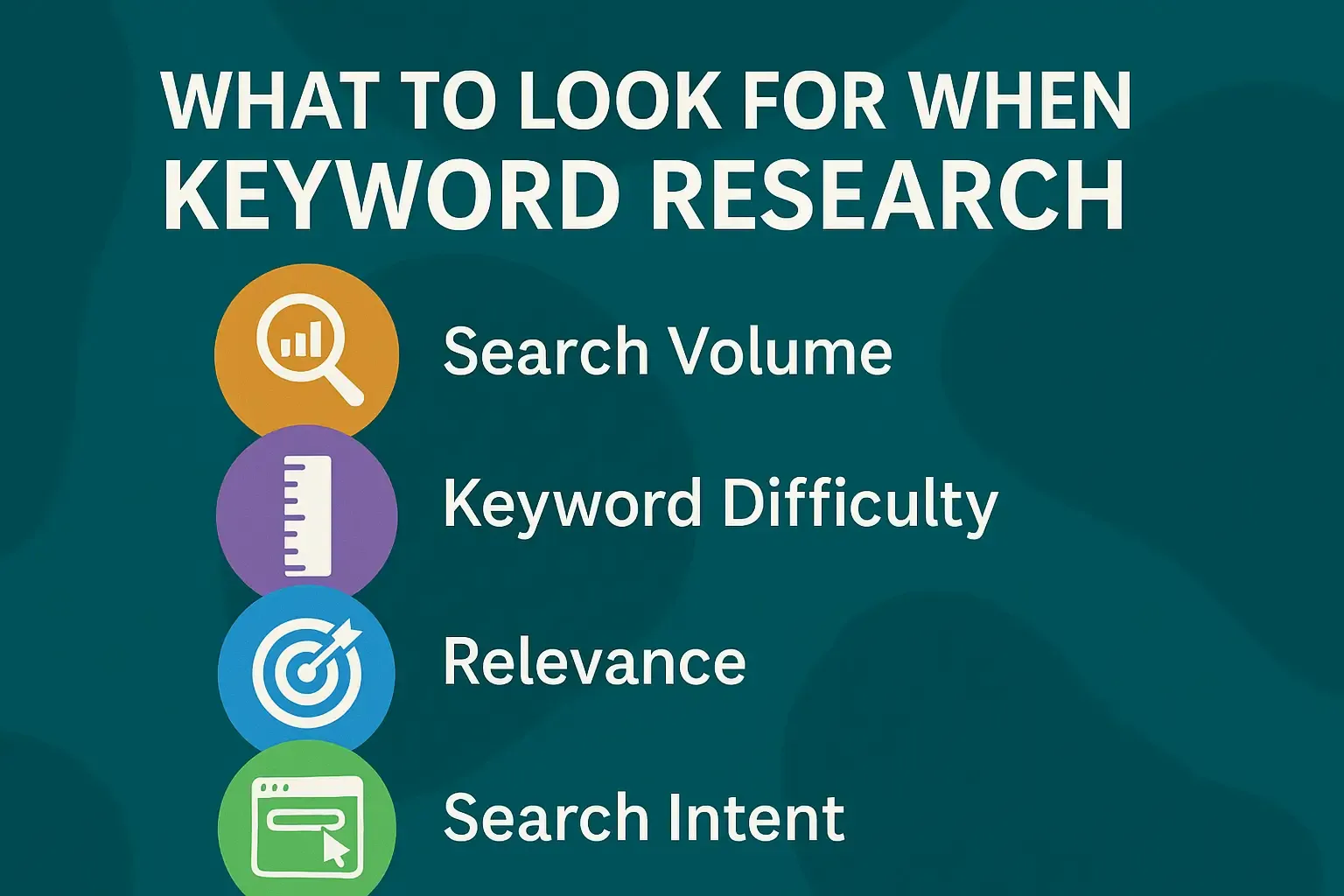
Don’t Do Keyword Research Until You Know These 7 Rules

Written By
Bikash Yadav
SEO EXPERT
SEO Expert & Digital Marketing Strategist with 8+ years of experience helping businesses grow online. Read more
Imagine A family in New York City wakes up to water gushing from a broken pipe at 3 AM. Panicked, they grab a phone and search for “emergency plumber near me.”
If you’re a plumber, will they find you in that moment of need? This question gets to the heart of why keyword research matters.
It’s not about tech jargon or SEO tricks; it’s about connecting people who need your help with your business, exactly when they need it.
In this guide, we’ll walk through seven essential things to know before diving into keyword research, tailored for plumbers in NYC. We’ll start with the “why” – the purpose behind each step – just like Simon Sinek’s approach of starting with why.
Along the way, we’ll ask questions to get you thinking, share stories, and use simple language to make deep insights clear. By the end, you’ll have practical knowledge – backed by real stats and examples, to help grow your plumbing business online.
Before we begin, consider this: Nearly half of all Google searches have local intent (meaning people are looking for services nearby). A study by BrightLocal, 80% of U.S. consumers search online for local businesses weekly.
In a huge city like New York, thousands of people are searching for plumbers each day. In fact, an SEO analysis found that about 246,000 people search for “plumbers near me” in the U.S. every month. That’s a staggering number of potential customers.
If even a small fraction of those searches are in NYC and land on your website, imagine the boost in calls and jobs for your business. One plumbing company’s website traffic was estimated to be worth $44,700 per month in equivalent ad spend because they rank well for so many plumbing keywords.
So, how can your business show up when homeowners and businesses in New York City desperately search for help with a leak, a clog, or a broken water heater? It all starts with choosing the right keywords, the words and phrases people type (or speak) into search engines like Google when looking for plumbing services.
Let’s break down the 7 things you should know before doing keyword research, so your efforts are focused, effective, and primed to beat the competition.
Why begin keyword research by looking inward at your own business? Because if you don’t clearly understand what you offer and what makes you special, you won’t know which search terms (keywords) truly fit for your online growth.
Keyword research isn’t just about what’s popular – it’s about what’s relevant to your plumbing business.
Ask yourself: “What exactly does my plumbing business do, and why?” This might sound obvious (“I fix pipes!”), but dig a bit deeper.
What services do you provide most often or most expertly? Do you mainly do drain cleaning, water heater repair, leak fixes, bathroom plumbing installations, or all of the above? Make a simple list of your core services. Also think about any specialties or unique selling points:
Are you a 24/7 emergency plumber? Do you service all five boroughs or just certain neighborhoods in NYC? Are you a small family-owned business that offers personalized service, or do you specialize in eco-friendly plumbing solutions? All these details are clues to which keywords will suit you best.
For example, if you only serve Manhattan and Brooklyn, then “plumber in Queens” isn’t a keyword you should focus on (because you wouldn’t want calls from Queens that you can’t serve).
If you specialize in tankless water heater installations, then keywords around “tankless water heater installer NYC” might be very relevant, while general “boiler repair” might not (unless you do that too).
If your “why” (your mission) is providing ultra-fast service for emergencies, then phrases like “24-hour plumber” or “emergency plumber in NYC” are likely top targets.
Understanding your business also means knowing what jobs are most profitable or desirable for you. Maybe fixing water heaters brings you good revenue – you wouldn’t want to miss out on people searching for “water heater repair in New York.”
On the other hand, if you don’t handle something like HVAC or sprinkler systems, you should avoid keywords related to those, even if they’re popular. Chasing irrelevant traffic wastes time and frustrates searchers who won’t find what they need on your site.
Remember, relevance is key – Google wants to show people results that exactly match what they’re looking for. If your site is about plumbing but you randomly try to rank for “air conditioner repair” because you saw it has high search volume, Google will figure out it’s not truly relevant to your site, and users will quickly leave (causing a “bounce”).
High bounce rates send negative signals, and you gain nothing from that traffic. It’s better to be the best answer for plumbing queries than to be an okay answer for a bunch of unrelated topics.
What makes your plumbing service stand out in NYC’s sea of plumbers? Think about that as you choose keywords – you want to show up for searches that align with your strengths and offerings.
If you’re “Joe’s 24/7 Drain Rescue” focusing on fast emergency service, own that niche online. If you’re “Green Home Plumbing” focusing on eco-friendly fixtures, target those specific queries.
When you understand your business and why you do what you do (maybe it’s to provide reliable help to neighbors, or to be the go-to expert in a certain area), it guides your keyword strategy.
You’ll pick search terms that reflect your business identity and attract the customers you truly want.
Also, consider the scale of the NYC market. New York City is huge – millions of residents, countless businesses – and plumbing issues are common.
There are also many plumbing companies. To someone searching online, what will make you the obvious choice?
Part of it will be showing up prominently (which keyword research helps with), and part is conveying your unique value. So before diving into keywords, get clear on your business story.
Why do you exist and who do you serve best? Keep that in mind; it will help you choose the terms that connect your story to your customer’s needs.
Now that you’ve reflected on your business, let’s flip the perspective. Who are your ideal customers, and what are they going through when they need you? Understanding your customer is vital for a successful keyword research.
If you know who is searching and why, you can predict what they might search for. Essentially, know your customers = know the keywords (or at least a good starting idea).
Put yourself in your customer’s head. Ask: “When do people in New York City need a plumber, and what problems are they trying to solve?”
Common scenarios might include: a pipe burst in a Queens basement, a drain clog in a Manhattan high-rise, a water heater failing during a cold Bronx winter morning, a toilet overflow in a Brooklyn apartment, or a restaurant in NYC with a backed-up sink during the lunch rush.
Each of these situations is urgent (some more than others), and guess what – nearly everyone nowadays will start solving the problem by searching online for a plumber.
In fact, 80% of US consumers turn to search engines to find local services at least weekly, and a large share do so daily. When that search happens, people tend to contact one of the first businesses they see.
Studies show that 92% of searchers choose a business on the first page of results, and 42% will even click the Google Map pack (the top 3 map listings) for local queries.
This means if your business isn’t showing up early on, most customers won’t even know you exist.
Let’s think specifically about New York City customers. New Yorkers are always on the move and they value speed and convenience.
When someone’s bathroom is flooding, they’re not going to casually scroll through ten pages of search results – they’ll likely pick a plumber from the first page, if not the first few results.
Often it’s whoever seems credible and close by. If you appear up top, you’re in the game; if not, you’re essentially invisible to that customer.
Consider also how they search: more than ever, people are using smartphones to find local businesses.
Over 63% of consumers prefer to get information on phones, and across age groups (from Gen Z to Boomers), a majority primarily use mobile search.
For plumbers, this is huge – a lot of your potential clients will be typing (or voice-commanding) on a phone with one hand while turning off a valve with the other!
They might even search by voice: “Hey Siri, find a plumber near me” – and voice searches often word things like full questions or commands.
What does this mean for you? It means your keywords (and website) should cater to local, on-the-go, urgent needs.
A person on a phone searching “plumber near me” is likely ready to call right now – in fact, 88% of local searches on mobile result in a call or visit within 24 hours, and 78% of local mobile searches lead to an offline purchase (like hiring a service).
That’s a tremendous conversion rate, local searchers are often very serious about getting help. 76% of consumers who search for something nearby visit a business within a day, and 28% of those searches result in a purchase (or in your case, booking a job). The intent is high.
Compare that to someone casually Googling “plumbing tips” for curiosity – the person searching “emergency plumber Manhattan now” is the one who will likely call you immediately if they find you.
So, know your customers’ intent and urgency. Think about different customer types too. Are you mostly serving homeowners? Renters who might need landlord approval? Small businesses like cafes?
Each might use slightly different language (a homeowner might search “fix leak under sink”, a restaurant manager might search “commercial plumber NYC”).
New York has all kinds of people – students in dorms, families in brownstones, big companies in skyscrapers – and plumbing needs everywhere. The common thread is that when trouble strikes, they turn to search.
If you were a customer, what would you search for? For instance, if you live in Brooklyn and your only toilet is clogged, you might search “best plumber in Brooklyn for clogged toilet” or simply “toilet repair near me”.
If you’re a landlord with multiple units, you might search “plumbing service contract NYC”. Knowing your customers also means knowing the words they use. Non-plumbers might not know terms like “p-trap” or “backflow preventer” – they’ll probably search in plain language like “sink won’t drain” or “water backing up in tub.”
Try to capture the everyday language and even the local slang. For example, New Yorkers often refer to their neighborhood or borough: “Upper West Side plumber,” “Astoria Queens plumber,” etc.
They might also include “NYC” in searches for clarity, e.g., “drain cleaning NYC” to ensure they get city-based results.
One more thing: consider the questions and concerns customers have. Many will search for pricing or quality indicators too, like “affordable plumber NYC” or “licensed plumber New York”.
(Side note: being a licensed plumber in NYC is critical; customers often specifically look for that because it’s required for many jobs – if you are licensed, you’ll want to target keywords like “licensed plumber in NYC” to capture those trust-seeking customers).
And nearly everyone cares about reviews – while that’s more about reputation management than keyword research, it’s worth noting that 83% of consumers use Google to read local business reviews.
So a lot of people might search your business name plus “reviews” or just notice your star rating on Google. Always keep your customers’ mindset front and center: they want a solution to their problem, quickly and from someone they feel they can trust.
To summarize, knowing your customers means you should gather clues about how they search. You can even ask past clients how they found you or what they would search in a given scenario.
Look at any Google Business Profile insights you have – Google often shows business owners the top search queries that led people to their listing.
For example, you might discover lots of people found you by searching “emergency plumber Queens” or “water heater repair Manhattan”.
Those are golden insights – they literally show how real customers search. Use that knowledge to guide your keyword research.
When you align your keywords with your customers’ needs and language, you’re essentially speaking their language. It builds a bridge between their problem and your solution, which is exactly what you want.
We’ve talked about understanding who your customers are – now let’s dive into thinking like them at the moment they type a search. This step is all about empathy and imagination.
Keyword research isn’t done in a vacuum or purely with tools; some of the best insights come from you simply predicting what a person in need would actually type or ask.
Start with a scenario and walk through it as if you’re the customer. Let’s do a quick story: It’s a freezing January night in NYC. Jane lives in a Queens apartment, and suddenly her heating stops – the radiator is ice cold. Jane is shivering and worried about pipes freezing.
What does she do? She grabs her phone and searches something like “no heat radiator plumber Queens” or maybe “emergency boiler repair NYC” (if she thinks it’s the boiler).
Or she might not know the cause and just search “emergency plumber near me” and click the first one available at 2 AM. Now, if you are a plumber who offers emergency heating repairs, those are exactly the phrases you’d want on your site so Jane finds you.
Let’s try another: Mike owns a small restaurant in Manhattan. During lunch hour, the main sink clogging up is a nightmare. Mike pulls out his phone and likely searches “commercial plumber Manhattan” or “restaurant plumbing service NYC” or simply “drain cleaning service near me fast.”
He might include “commercial” to ensure the plumber can handle a business setting. Do you have content or keywords on your site that show you handle commercial jobs? If yes, Mike is more likely to find you.
One more: Sarah is a homeowner in Brooklyn who has been hearing a dripping sound in her wall and sees a damp spot – a possible hidden leak. It’s not an emergency gush, but she’s concerned. She might search “water leak detection plumber Brooklyn” or “plumber for leak in wall NYC.”
Alternatively, if she’s the DIY type initially, she might search “how to find a water leak in wall”. Now, think carefully: if you have a blog post on your site addressing “How to detect water leaks (and why you need a plumber to fix it)”, you could attract Sarah when she’s researching.
Even if she’s in DIY mode, your information can build trust, and she may decide this is too complex and call you, since you clearly know what you’re talking about.
This is thinking like a customer at different stages: some are in urgent “do it now” mode, some are in “learn and maybe do later” mode.
We’ll talk more about intent later, but empathizing with these thought processes helps you capture both immediate and future customers.
Now, consider language and terminology. You’re a plumbing expert, but your customers likely aren’t. A big part of thinking like them is using the words they use, not the technical terms you might use internally.
For example, you might call it a “garbage disposal unit,” but a customer might search “sink grinder not working” or “garbage disposal stuck.” You know the proper term “water heater,” but some customers might type “hot water heater broken” or even just “no hot water in house.”
A “sewer line” issue might be searched as “sewer backup” or “toilet backing up.” A “faucet” might just be “kitchen tap leaking.” Always brainstorm the simple, common words.
A good tip: Write down a problem and then think of all the different ways someone might describe it. For “drain clog,” people might search: “sink won’t drain,” “clogged sink fix,” “water not going down shower,” “unclog bathtub NYC,” etc.
Don’t worry if some phrases sound unprofessional or grammatically off – remember, 15% of Google searches every day are completely new, never searched before, often because people phrase things in quirky ways.
There are millions of ways to ask for the same thing. Your goal is to catch the common ones, especially those relevant to your services.
Let’s use a little trick: pretend you are the customer and start typing a question into Google to see what it suggests. If you type “why is my toilet…” Google’s autocomplete might fill in “…running?”, “…not flushing?”, “…making noise?”.
These suggestions come from real popular searches. Or type “best plumber in” and you might see suggestions like “best plumber in NYC for water heaters” or “...for drain cleaning”. Those hints are gold – they literally show what people commonly search.
Google’s “People Also Ask” boxes are also useful; if you search a term, you’ll often see a dropdown of related questions people ask (like “How much does a plumber cost in NYC?” or “Can I pour Drano in a clogged toilet?”). These are great for understanding customer curiosities and worries.
Now, engage with a question: If your kitchen sink was clogged, how would you search for help? You might type something straightforward like “unclog kitchen sink NYC” or ask a question like “how to unclog kitchen sink naturally”.
If you try the DIY route and it fails, your next search might be “plumber for clogged sink near me.” This is a common pattern: many people attempt a quick fix (searching for DIY answers), then realize they need a professional and search again with a hiring intent.
As a smart marketer, you could target both: have content that answers the DIY question (and gently explains when it’s time to call a plumber), and have your service page targeting the direct hire query.
Thinking like a customer also means considering seasonal or event-based searches. For instance, around winter in NYC, searches for “frozen pipes” or “no heat plumber” spike.
Around Thanks giving (famous for turkey grease clogs, sometimes called “Brown Friday” in plumbing!), searches for “garbage disposal not working” or “drain clog Thanksgiving” might uptick.
If there’s a big rainstorm, “basement flooding pump out” might become common. These situational searches can be important – being aware of them can help you prepare content or at least include those terms on your site when relevant.
Google Trends is a great free tool to check this – you can see if interest in “frozen pipes repair” peaks every January (which it likely does in cold climates).
Let’s not forget local lingo. New York City has unique aspects – for example, many people live in apartments and might have a “super” (building superintendent) who usually handles minor issues, but they’ll call an outside plumber for bigger jobs.
Someone might search “plumber for co-op building NYC” or “NYC plumbing code help” if they’re dealing with permits. If you target commercial clients, perhaps “backflow prevention NYC” is a keyword (since businesses need backflow preventers by law).
Try to incorporate any NYC-specific terminology or needs you know of. Another example: many NYC homes have steam heating systems with boilers and radiators (older buildings), so queries like “radiator repair NYC” or “boiler plumber NYC” are quite specific to cities with older infrastructure – a suburban plumber in Arizona might never think of those, but in NYC you should.
By thinking like your customers, you essentially create a mental map of possible keywords before even touching a keyword research tool. This human touch ensures the keywords you later validate with tools are grounded in reality. In practice, you might come up with a brainstorm list like:
And so on... Don’t worry if this list is long or some terms seem similar. In keyword research, you’ll often group similar ones. The idea here is to expand your perspective as wide as possible on what customers might search. Then, in upcoming steps, we’ll narrow it down and validate which terms are worth focusing on.
Before moving on, here’s a powerful proof of why thinking like the customer is so important: A marketing study found that over 75% of local searches actually convert into leads or contacts – an incredibly high number – but only if you’re aligning with what the customer really wants.
By using the same words and addressing the same issues on your site, you increase the chance that when they search, they click on you and not bounce away. People feel “This is exactly what I was looking for!” when the language matches their thinking.
That builds instant trust. So do this groundwork of empathetic thinking – it’s free, it’s creative, and it will make all the difference when you move to using tools and optimizing content.
Up to now, we’ve been brainstorming and imagining from experience, which is a fantastic start. But you don’t have to do all the work with guesswork. There are some great tools that can help you discover keywords and understand how often people search them.
Think of these tools as plumber’s helpers, but instead of a wrench or a plunger, they give you data about words.
Why use tools? Because they can confirm if the phrases you thought of are popular (or rarely used), and they can suggest new ideas you might not have considered. Even the best plumber can miss a spot; likewise, you might overlook a golden keyword without a tool’s insight.
Tools can also show you roughly how many times per month a term is searched (search volume), how competitive it might be to rank for, and even what related searches exist.
Here are some tools and techniques (many are free or have free versions) that you can use:
We mentioned this already, but it’s worth calling it a “tool” in its own right. When you go to Google and start typing, pay attention to the dropdown suggestions. They update in real time and are based on popular searches.
For instance, type “water heater repair n” and you might see suggestions like “water heater repair near me,” “water heater repair NYC cost,” etc.
Similarly, after you search, scroll down to the bottom of the results page to the “Related searches” – Google often lists 8 related search phrases. These are easy ways to expand your list. It’s free and it’s literally Google telling you “people often look for these.”
This is a tool from Google Ads (originally meant for advertisers, but useful for SEO too). It’s free to use; you might need to create a Google Ads account (you don’t have to run ads, just sign up).
With Keyword Planner, you can type in a seed term like “plumber” or “drain cleaning” and set the location to e.g. New York City, and it will show you a bunch of related keywords along with average monthly search volumes and competition level (for ads).
For example, it might show you that “drain cleaning NYC” gets, say, 500 searches a month, “emergency plumber NYC” gets 1,000 (hypothetically), etc. This quantifies your hunches. It also might suggest terms you didn’t list.
The volume data helps you prioritize – for instance, if “water heater repair NYC” has 300 searches and “water heater replacement NYC” has 150, you’d probably want to target both, but you know the repair one is sought more.
This is a free tool that lets you compare the relative popularity of search terms over time. If you’re curious whether “water heater repair” is searched more often in winter than summer – Google Trends will show the interest over the months.
It can also compare terms: e.g., is “plumber NYC” or “plumber New York” more commonly searched? Or do people search “sewer backup” vs “sewer clog” more? Google Trends won’t give raw numbers, but it shows patterns and what’s trending up or down.
For example, Google Trends data once highlighted that searches for “burst pipe” jump on very cold days. If a cold wave is coming, you could proactively emphasize “burst pipe repair” on your site or ads.
Also, Google Trends can show interest by sub-region – you might find a certain borough searches a term more. It’s a bit advanced but fun to explore.
These are professional SEO tools. They are paid, but many have free trials or limited free features. For instance, Ahrefs has a free keyword generator tool online (with limited results) and SEMrush often allows a few free searches a day.
These tools have large databases of keywords and can show volume, keyword difficulty (how hard it might be to rank, based on competition), and even an “intent” label.
In fact, if you put a term into SEMrush’s keyword tool, it might tag it as “Transactional” (meaning the tool thinks the searcher wants to buy/hire) or “Informational” (just looking for info), etc.
For example, SEMrush’s Keyword Magic Tool labels “plumbers near me” as Transactional intent, because it knows people searching that want to hire a plumber, whereas it might label “how to fix a leaky faucet” as Informational. Seeing these labels helps confirm your own intent analysis.
These tools can also show a ton of variations. If you search “plumber NYC,” you might find suggestions like “plumber NYC free estimate,” “emergency plumber Manhattan,” “plumbers in NYC with payment plans” – who knows, people search all kinds of specific things! It’s like having a super-smart assistant that read through millions of searches and is telling you, “Here’s what I found relevant to your query.”
A nifty free tool (with limited daily searches) where you enter a keyword and it generates a visual wheel of questions people ask related to that keyword. If you put “plumber” or “plumbing” in, you’ll get results like “Why do plumbers cost so much?” “How do plumbers find leaks?”
“When to call a plumber for a clog?” etc. It’s great for content ideas and understanding common questions (which might be good blog topics or FAQ content on your site). For a local twist, you might try “plumber New York” and see if any location-flavored questions come up.
If you already have a website and it’s been up for a bit, Google Search Console (free, if you verify your site) can show you the search queries that your site has appeared for and gotten clicks for. It might be limited if you’re new or not much SEO done, but it’s worth checking.
You might be surprised that you’re already showing up for “sink clog fix NYC” even if you never explicitly targeted it – that suggests an opportunity to optimize for it more.
Your website’s analytics (Google Analytics etc.) won’t directly show search terms (due to privacy Google hides organic keywords mostly), but Search Console is the go-to for that info.
Some tools let you input a competitor’s site and see what keywords they rank for. For example, Ahrefs “Site Explorer” or SEMrush “Organic Research” can show the top keywords for, say, Roto-Rooter’s NYC page or a local competitor.
Even if you don’t use a paid tool, you can glean some by just looking at their site – more on that soon. But many SEO tools give a few free competitor insights if you have their domain. This can validate if the keywords you plan to target are ones competitors are successfully getting traffic from.
Now, using tools effectively means balancing data with your own intuition. Just because a tool shows a keyword doesn’t mean it’s right for you – always ask “Is this relevant to my business?” (ties back to section 1 on relevance).
And remember that volume numbers are estimates, not exact figures. If Keyword Planner says “water heater repair near me” has 210 searches/month in your area, think of it as roughly that ballpark.
Even low-volume keywords (like 20/month) can be valuable if they’re super specific and high intent (e.g., “install dishwasher plumbing NYC” maybe doesn’t get hundreds of searches, but the few that do search it really need that service).
Another big reason to use tools is to find keyword variations and long-tail phrases. “Long-tail” keywords are those longer, specific phrases (usually 3-5 words or more) – they typically have lower search volume individually, but often higher intent and easier competition.
For example, “plumber” by itself is very broad (also someone in another state could search that, not helpful to you). But “24 hour emergency plumber Brooklyn” is a long-tail – fewer people search exactly that each month, but those who do definitely need a plumber in Brooklyn now.
Tools can help you find these longer phrases. Often, dominating lots of long-tail keywords can collectively drive a lot of traffic, and it’s often easier than trying to rank #1 for a single broad term like “plumber” (which giant sites like HomeAdvisor or Angi might dominate).
One caution: while using tools, you might see some tempting high-volume keywords that are unrelated. For instance, a keyword tool might show “plumber salary NYC” or “how to become a plumber in NY” has a lot of searches.
Clearly, those are people looking to get into the trade or curious about salaries, not customers. Unless you have a reason (maybe you run a hiring page or a blog about the industry), those aren’t your target – so you’d ignore them despite volume. This is where your human judgment pairs with tool output.
Lastly, tools can reveal seasonal trends quantitatively. You could confirm that “AC repair” spikes in July (not relevant to pure plumbing, but if you do HVAC too maybe), or that “water heater repair” spikes in winter. If you see that data, you can plan content pushes or Google Ads around those times for those keywords.
Also, the data can support your strategy when explaining to others. If you have a partner or team. According to Google’s Keyword planner, over 1,000 people a month search for ‘emergency plumber NYC’ we need to make sure we appear for that” can build urgency. Or showing that “near me” words searches have exploded to 800 million a month across the U.S. emphasizes that optimizing for local searches is key.
In summary, use these tools as your data compass. They’ll help you navigate where the search demand is. Coupled with your own knowledge of your business and customers, you’ll be able to create a target keyword list that is both high-impact (many people searching those terms) and highly relevant.
And one more benefit: tools can also help later when you create content by showing what related terms or questions to cover (making your content more comprehensive).
For example, a tool might show that people also search “how much does drain cleaning cost” – so on your drain cleaning page, you might proactively answer that.
This level of thoroughness can set you above competitors, because your page ends up answering more of the user’s questions in one place.
Don’t be intimidated by these tools. Start with the free ones (Google’s own tools, AnswerThePublic), get comfortable, then experiment with an SEO tool’s free trial if you want deeper data.
It’s a bit like using a new gadget in plumbing – the first time might be confusing, but soon it becomes second nature and you wonder how you lived without it!
In the bustling world of New York City plumbing, you’re not alone in trying to rank on Google. Dozens (if not hundreds) of other plumbers and big companies are vying for those top spots. That’s why a smart step in keyword research is to check out the competition.
This isn’t about copying them – it’s about learning from what they’re doing right (and wrong), and finding gaps that you can fill.
Start with a simple Google search for some of the main keywords you’re interested in. For example, search “plumber in [your borough or neighborhood]”, like “plumber in Brooklyn Heights” or “Manhattan emergency plumber.” What do you see on the first page? Likely a mix:
perhaps some Google Ads at the top (ignore those for now, they paid to be there), then the Google Maps 3-pack, and then the organic results (the regular listings).
In the organic results, you might see some big directory sites like Yelp, Angi (Angie’s List/HomeAdvisor), Thumbtack, etc.
You might also see local competitors’ websites (Joe’s Plumbing, Bob’s Plumbing, etc.), and maybe some NYC-specific service websites or even a news article if one went viral (“Top 10 plumbers in NYC” type of thing).
Take notes on who shows up. Are the top spots dominated by massive companies/franchises? Or are there individual local businesses too? For instance, perhaps Roto-Rooter or Rescue Rooter has a strong presence.
But often, Google tries to show a few local smaller businesses too, especially in the Map pack. This reconnaissance tells you a few things:
If all top results are huge authority sites or directories, it may be tougher (not impossible!) to outrank them. But if you see a few small biz websites ranking, that’s a sign you can compete there with good SEO.
Click on a couple of competitor websites that rank for important keywords (like “emergency plumber NYC”). What do their pages look like? Do they have a dedicated page about emergency plumbing with the keyword in the title and content? How do they structure it?
Maybe they mention 24/7 service, list quick response times, etc. This can give you ideas on what information Google (and customers) value for that query. If one competitor’s page has a big FAQ section about emergency plumbing, perhaps that helps them rank (and helps customers). You might want to do something similar, but better.
While you’re looking, pay attention to what keywords they seem to be targeting. Often you can tell by the phrasing on their site. If a site’s homepage title says “24/7 Emergency Plumber in New York City – XYZ Plumbing,” it’s clear they target “emergency plumber New York City.”
If their services page has headings like “Drain Cleaning in Brooklyn” or “Water Heater Repair Services,” those are likely keywords. Jot those down if they match your services (and you haven’t already listed them).
You can also use some specific Google search tricks:
Consider tools for competitor analysis: As mentioned, tools like SEMrush or Ahrefs can show the top keywords a competitor ranks for.
For example, you could plug in a well-known NYC plumbing site and discover that they rank highly for “boiler repair NYC” or “sump pump installation Bronx” or things you might not have thought of. Some tools might show this in a free version or trial.
Even without a paid tool, you can manually search some of those terms to verify if that competitor appears – confirming that keyword is part of their strategy.
A key part of this is to find opportunities they missed. Maybe you notice none of the top sites have a blog post about a certain common problem (like “preventing frozen pipes NYC”). That could be something you create to stand out and attract that search.
Or perhaps none of them explicitly mention “24-hour plumber” on their homepage even if they offer it – if you do, make sure you emphasize it (some folks search “24 hr plumber” specifically). Find those gaps.
Competition check also extends to looking at online reviews and Q&A about competitors. See what customers mention: Do many reviews say “I searched for an emergency plumber and glad I found X” – that confirms people search “emergency plumber”.
Or do they ask on forums “Can anyone recommend a plumber in Queens who does sewer camera inspection?” – aha, “sewer camera inspection” might be a keyword if you offer that service, which competitors might not be advertising clearly.
Another aspect: check directory sites like Yelp or Angi for top keywords. Yelp might list common search phrases (like when you’re on Yelp it says “People also searched for...”).
Or simply note the categories they use (e.g., Yelp might categorize under “Plumbing, Water Heater Installation, Hydro-jetting” etc. – those categories are essentially keywords).
It’s also worth searching beyond Google: try Bing for the same keywords (some older clientele use Bing or voice search via Alexa which uses Bing). Bing results might differ slightly, and maybe a competitor that’s not on Google first page is on Bing’s first page.
If so, investigate why (maybe their site is particularly Microsoft-friendly, or just less competition there – could be an opportunity to list on Bing Places too for local).
While checking competition, you might find something interesting about behavior: For example, if Yelp is always number 1 or 2 for certain searches, you might consider getting more reviews on Yelp or ensuring your Yelp listing is well-optimized, because many people might click that first and then pick a plumber from there.
Same with HomeAdvisor/Angi – if those dominate, being listed there could help you get indirect leads. However, for our purposes, we focus on your own site’s keyword strategy to try to bypass these middlemen and get direct leads.
Keep in mind the stat we cited earlier: 47% of Google’s local organic results are business websites, 31% are directories.
This means roughly half the slots are actual local businesses’ own sites – you want to be among that group. Directories will take a chunk of spots, but they don’t answer specific questions as well as you can on your own site.
If you produce superior, relevant content, you can outrank some directories for long-tail queries. For instance, Yelp might rank for “plumber Brooklyn”, but maybe you can rank for “tankless water heater installer Brooklyn” because that’s more niche and Yelp’s page isn’t specifically about that.
Also recall: 92% of people choose a business from the first page. That implies if your competitor is there and you’re not, they’re probably getting the call. But this also means many plumbers not on page 1 get almost no online leads.
By doing keyword research and SEO, you’re trying to leapfrog ahead. Keep the competitive fire: if others can do it, you can too, perhaps by being more focused or more localized or just providing better info.
One more angle – look at competitors’ Google Business Profiles (the listings in Google Maps). What keywords appear in their reviews? Sometimes, customers mention things like “XYZ Plumbing fixed my water heater” or “quick emergency service”.
Google’s algorithm does consider review content for local ranking (and certainly users read them). If you notice competitors’ reviews highlighting certain services, that hints those services are common and valued – you should ensure your keyword strategy covers those as well.
In summary, checking the competition ensures you’re not flying blind. It’s like if you were opening a new shop on a street – you’d walk the street to see what other shops are doing, where foot traffic goes, how they attract customers.
On Google’s “street”, you do the same digitally. Learn from their successes, avoid their mistakes, and aim to differentiate. If all competitors provide generic info, you provide detailed, friendly guidance.
If competitors ignore a certain borough or service, you become the go-to for that. And importantly, if a competitor is doing something exceptionally well (say, ranking #1 consistently for many plumbing terms), analyze them deeply – their site architecture, their content, their backlinks perhaps. They’ve cracked the SEO puzzle, so reverse-engineering it teaches you.
Remember, SEO is a long game but also an open-book test in some ways – the answers of what works are out there on the search results; you just have to read them and do it better.
Thik like a Simon Sinek, understanding why your competitors rank (their strategy) can inspire you to innovate on how you approach your own keyword targeting.
At this point, you might have a hefty list of potential keywords – from your brainstorming, customer thinking, tool research, and competitor analysis. Now comes a crucial reality check: relevancy.
Not all keywords are worth pursuing, even if they have high search volume or even if your competitors use them.
You want to focus on terms that are relevant to your actual business and the services you provide.
This might sound straightforward, but you’d be surprised how easy it is to get lured by a shiny high-volume keyword that doesn’t actually fit what you do.
Why is relevancy so important? Because attracting visitors who aren’t actually looking for what you offer is a lose-lose. They come to your site, realize you don’t have what they need, and leave immediately – this is called “bouncing.”
A high bounce rate is bad for two reasons: one, it means no conversion (they didn’t call you or fill a form), and two, it can signal to Google that your page wasn’t useful for that search, potentially hurting your ranking over time.
In local search, relevance is one of Google’s key ranking factors for map listings too – Google’s own guideline says businesses that best match what someone’s searching for are more likely to be shown.
It’s common sense: if your website clearly matches the query, you’ll do better than if it’s only tangentially related.
So, go through your keyword list and filter out anything that doesn’t align with what you do. For example:
It’s also a good time to revisit the user intent behind each keyword and see if it matches what you offer. We’ll delve deeper into intent in the next section, but relevance and intent are closely tied.
For instance, a keyword “how to fix a leaky faucet” is relevant to plumbing broadly, but the intent is someone wanting to fix it themselves. You could target it with a helpful guide (to build trust, as content marketing), but know that query isn’t directly someone looking to hire you right now.
Meanwhile “leaky faucet repair service” has the intent of hiring. Both are relevant to your service (you do fix faucets), but the intent differs. So you might keep both but handle them differently on your site (one as a blog post, one as a service page).
When checking relevancy, consider also your service areas. Many keyword tools might give you suggestions for areas outside your range, especially if they know you’re in NYC they might still list “plumber New Jersey” or something.
Unless you’re licensed in NJ and willing to go there, those are out. Google’s algorithm also uses something called “distance” for local queries – it tends to show businesses that are physically close to the searcher.
If you optimize for an area you’re not in, even if someone there sees your site, they might realize you’re far away and skip you (or Google might not rank you high to begin with for that area’s searches).
It’s usually best to target primarily the areas you truly serve and maybe some neighboring ones if you’re on the border or willing to travel.
Another aspect of relevancy: the specificity of the keyword vs the scope of your services. For example, say a keyword “sump pump installation Queens” shows up. Do you do sump pump installs?
If yes, great – relevant. If you rarely do them or don’t want to focus on that, you might not prioritize it. Sometimes plumbing overlaps with other trades (like some plumbers also do a bit of sprinkler systems or bathroom remodeling or appliance installation).
If you don’t want certain kinds of jobs, you don’t need to optimize for those keywords. Focus on what you want more of.
It’s okay to “say no” to a keyword if it’s not the kind of work you want, even if you could technically do it. Your marketing should attract your ideal jobs.
To illustrate the importance of staying relevant, consider this: 62% of consumers will disregard a business if they find incorrect or misleading information online.
If your site pops up for “water damage restoration” because you mentioned it in passing, but you’re not actually a water damage restoration company (which is often a separate service, though related to plumbing disasters), users will feel misled and leave – they’ll disregard you for not being what they sought.
Or if your Google Business Profile or website claims a service you don’t actually provide, it can lead to bad reviews or frustration. It’s always better to be transparent and clear about what you do.
Quality over quantity is the mantra here. It’s more valuable to have 50 visits a month that turn into 5 calls, than 500 visits that turn into 0 calls because those visitors weren’t looking for what you really offer.
Relevance is directly tied to conversion. Highly relevant traffic means the person finds exactly what they searched for on your site – they’re likely to stick around, read, and contact you. Less relevant traffic just inflates your website numbers but not your business.
A good practice is to map each keyword to a specific page or content on your site. If you can’t figure out where on your site a keyword would naturally fit, it might be a sign it’s not relevant or you need to create a new page for it.
For example, you have a page for “Drain Cleaning Service” that covers clogs, etc., which targets various clog-related keywords. If you have a keyword “sewer camera inspection NYC” and you do that, you might need a page about your sewer camera inspection service because it’s a unique thing.
But if a keyword is “free plumbing consultation NYC” and you don’t offer free consultations explicitly, you wouldn’t target that (or you’d decide to offer it if you see value, but don’t just throw the phrase on your site without actually offering it – that’s misleading).
Also, recall that Google’s ranking algorithm looks at page content relevance heavily. It tries to match the search query with the best possible page.
If your page is about water heater repair and you try to also rank it for something unrelated like kitchen remodeling, it won’t do well for the unrelated term because the content doesn’t satisfy that. Keep your pages focused on a topic and target the relevant keywords for that topic on that page.
In SEO, we often say “one primary keyword (or a set of very closely related ones) per page” as a guideline. Don’t try to cram every keyword onto your homepage; instead, distribute them logically.
Your homepage might target “plumber in New York City” generally and convey your brand and main services. Then have subpages for specifics – each of those should stick to their relevant niche.
In short, as you refine your list, strike out the off-target keywords. You can always keep a separate list of “maybe later” or blog ideas if you want to address some broader things for content marketing, but your core SEO efforts should hone in on what you truly do and what brings you business.
Staying relevant is how you ensure that once people find you through a search, they feel “Yes, this is exactly what I needed,” and that’s the first step to turning them into a satisfied customer.
(Fun analogy: If keyword research is like fishing for customers, then relevance is using the right bait. If you use bait that attracts the wrong kind of fish, you’ll get nibblers you can’t actually catch. Use the bait that attracts the fish you want to catch!)
One more pro tip: Regularly revisit your keyword list for relevance over time. Your business might evolve – maybe you start offering a new service, or stop offering one. Make sure your SEO targets evolve too.
And monitor what kind of searches actually lead people to you (via Search Console). If you see you’re getting visitors for something irrelevant, consider adjusting your content to clarify (so Google might not send those folks as much, or if it’s a misunderstanding, clarify so those visitors actually find what they need on your site).
Alright, we’ve trimmed our keywords to the most relevant ones. The final check (and perhaps the most nuanced) is understanding the intent behind those searches and making sure our content aligns with that. Let’s dive into that next.
We touched on this earlier, but now let’s focus: Search intent is the why behind a query – what is the searcher really looking to do or get?
In keyword research, understanding intent is like unlocking the secret to satisfying the searcher (and thus satisfying Google, which wants to serve up the most relevant content for the intent).
There are generally a few categories of intent:
For a plumber’s keyword strategy, transactional and commercial intent keywords are typically the most directly valuable – they lead to conversions (calls, bookings).
Informational can be valuable too as part of a longer funnel or to draw in people who might convert later, plus to establish your authority and SEO presence.
But you usually want to distinguish them because you handle them differently on your site.
Take each keyword (or group of similar ones) on your refined list and ask: “What is the person who searches this actually trying to do?”
Google has become very good at detecting intent and delivering accordingly. For example, if you search a question, you’ll often see a quick answer or an article; if you search a service, you see listings and ads.
So when optimizing, think “Would my page be exactly what Google wants to show for this query’s intent?” If someone searches “plumbing maintenance tips,” Google likely shows blogs or checklists, not a “Book service now” page.
Conversely, if someone searches “plumbing service near me,” Google shows the map pack and service pages. So tailor your page to fit that mold.
According to Google, 51% of smartphone users have discovered a new company or product through a search, which means your informational content can be a discovery path for new clients who weren’t directly searching for a plumber to hire but stumbled on your helpful info and kept you in mind.
Let’s ensure some examples for clarity:
Check the intent alignment for each keyword and corresponding page. If you find a mismatch, adjust the content or focus. For example, if you realize you tried to optimize your homepage for an informational query, maybe that effort is better spent on a blog page.
Or if a service page is not converting, maybe you put too much info and not enough direct call-to-action – perhaps you treated a transactional query too much like an informational one.
A classic failure of intent alignment is something like this: A user searches “water heater troubleshooting” (intent: fix it themselves or diagnose).
They click a result that is actually a plumber’s service page that only says “We fix water heaters, call us.” The user is like, “This doesn’t help me troubleshoot, I’ll hit back.” That plumber page might have ranked because of decent SEO, but it didn’t satisfy the intent, so the user left (and Google notices quick bounces).
Over time, Google might drop that page in rankings because it wasn’t fulfilling the searcher’s need. It’s better if that plumber had a troubleshooting guide (informational) for that query.
Alternatively, if the query was “water heater repair service”, the user wants that service page. See how the nuance works?
Aiming to meet intent also often means covering related questions on the page. For a transactional page, the related intent might be questions like “Do they service my area? Are they licensed?
How fast can they come? How much might it cost?” Answering those on the page (in an FAQ section perhaps) helps satisfy the intent fully.
For an informational page, related intents might be other questions the user will have next – e.g., after reading how to troubleshoot, they might wonder “how much if I call someone?” or “where to buy replacement parts” – you can address some of that or again gently guide to your services for convenience.
In fact, Google’s “People Also Ask” questions that show up can guide you on intent fulfillment. If you target “water heater repair NYC” and see PAAs like “How much does it cost to replace a water heater in NYC?” or “What causes a water heater to stop working?”,
consider answering those on your page. That way, whether the user wanted a service or just initial info, your page gives both – thus satisfying both immediate hire intent and the investigative intent in one place.
Backlinko found that comprehensive content that touches on multiple related intents tends to rank well because it keeps users engaged.
“Why is the person searching this? What is their deeper need or question?” That’s the why (intent).
Then ensure your content (the how and what you provide) addresses that why fully. If you respect the user’s intent at every step, you build trust. They feel “this site gets what I was looking for.”
And that feeling often precedes them picking up the phone to call you because you’ve already been helpful or at least straight-to-the-point in the way they wanted.
Alright! We’ve gone through all seven key steps: from understanding your business and customers to thinking like them, using tools, spying on competitors, and making sure your chosen keywords are relevant and intent-aligned.
Now, let’s wrap this up with some actionable next steps and a concise meta description and SEO title that could be used for this article if it were on your website.
You’ve now learned the WHY and HOW of effective keyword research for your plumbing business. By understanding your own services deeply and empathizing with your customers’ thoughts, you’re positioned to choose keywords that truly connect you with the right clients.
We explored how to use powerful (yet often free) tools to gather data, and how to spy on competitors to outshine them. We emphasized always staying relevant – focusing on what you actually do – and tailoring your content to the real intent behind each search query.
This might feel like a lot of information (it is!), but remember: the goal is simple. You want a New Yorker with a plumbing problem to find your business as the clear and helpful solution. Every tip in this guide ladders up to that goal.
What should you do next? Here are some actionable next steps to turn this knowledge into results:
Each of these steps moves you closer to a strong online presence that attracts the right customers. SEO isn’t a one-time task but an ongoing learning and refining process.
Keep an eye on industry blogs (like Moz, HubSpot, Ahrefs) for SEO tips, but as we aimed to do here, always translate general advice to your situation (plumbing in NYC).
By making your content more useful and actionable than generic SEO advice out there, you’re not just appeasing algorithms – you’re genuinely helping people.
And Google rewards that. So does word-of-mouth; someone who found your great drain tip article might share it on social media or nextdoor, saying “This plumber’s site had really helpful info,” which can bring even more visitors.
Finally, here’s a pep talk: Plumbers might think “I fix pipes, why do I need to worry about Google stuff?” But in a city where so many compete and so many residents rely on the internet, mastering keyword research and SEO is like having the brightest sign on the street.
It directs people to your door. You already have the skills to solve their plumbing problems – now make sure they can find you online to let you use those skills. Remember the stat: 97% of people learn more about a local company online than anywhere else.
That means your online presence could be the first impression for nearly all your new customers. Let’s make that impression count.